There is no one-click export
Kajabi lets you download lesson videos one at a time and export product templates that only load back into Kajabi. Blog posts cannot be exported at all. A move starts with a careful copy, not a button.
Moving a Kajabi business to your own WordPress site: courses, lesson videos, students, payments and email, rebuilt on Tutor LMS or LearnDash, with Kajabi kept running until the new site is checked. You stop paying for the Kajabi plan, and the site, the content and the student list sit on a server you control. 1,000+ projects for 600+ clients across 40+ countries, since 2019.
Call or WhatsApp +880 1319 303850
Kajabi is built as one subscription for everything, so leaving means taking apart the courses, the list, the payments and the emails, then giving each one a new home.
Kajabi lets you download lesson videos one at a time and export product templates that only load back into Kajabi. Blog posts cannot be exported at all. A move starts with a careful copy, not a button.
Contacts and customers export as a spreadsheet, but passwords do not, and saved card details stay with the payment provider. Students need a clean first login, and active subscriptions need a plan.
Your list, your automations, your landing pages and your community sit in the same account, so each one needs a new home on WordPress or in a tool you already use.
Kajabi keeps running the whole time. Nothing changes for your students until the new site has passed the same checks.
Products, offers, lessons, videos, contacts per product, active subscriptions, pages, blog posts and email sequences, counted before anything moves.
Each video is downloaded from its lesson, moved to a video host such as Vimeo or Bunny Stream, and embedded in the matching lesson on WordPress.
Modules become sections and lessons, quizzes and downloads are recreated, and the course order stays the one your students already know.
One contact export per product, imported into the matching course, with a welcome email that asks each student to set a new password once.
A new checkout on Stripe or PayPal for new sales, and a written plan for every active subscription before the switch, so nobody pays twice or loses access.
If the domain is yours, it points to the new site, and old Kajabi paths such as /offers/ and /products/ get 301 redirects to their new pages.
The parts every Kajabi account has, and the WordPress tools that usually take them over. The exact list is settled on the call.
Tutor LMS for individual course sales, LearnDash when companies buy seats or you need groups and reports.
Tutor LMS Pro subscriptions, LearnDash with its built-in memberships, or WooCommerce Subscriptions.
A booking page on your own site, or the calendar tool you already use, linked from the course.
Your list moved to an email tool such as FluentCRM or the one you already pay for, with the sequences that matter rebuilt.
Rebuilt in WordPress with your branding. Blog posts are copied across by hand, since Kajabi cannot export them.
These are WordPress course, coaching and membership sites I built, not Kajabi migrations. They show the kind of home a Kajabi business moves into.
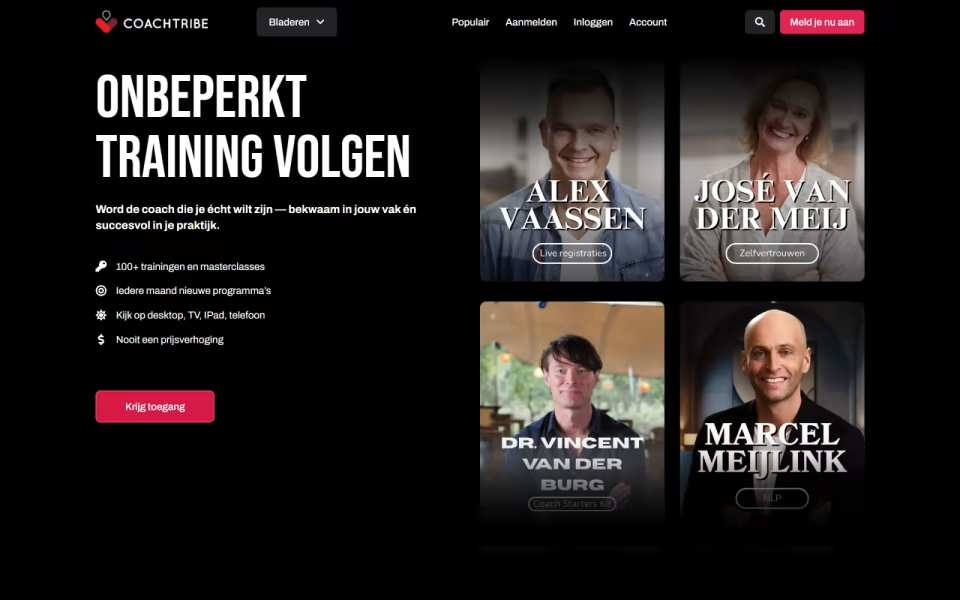
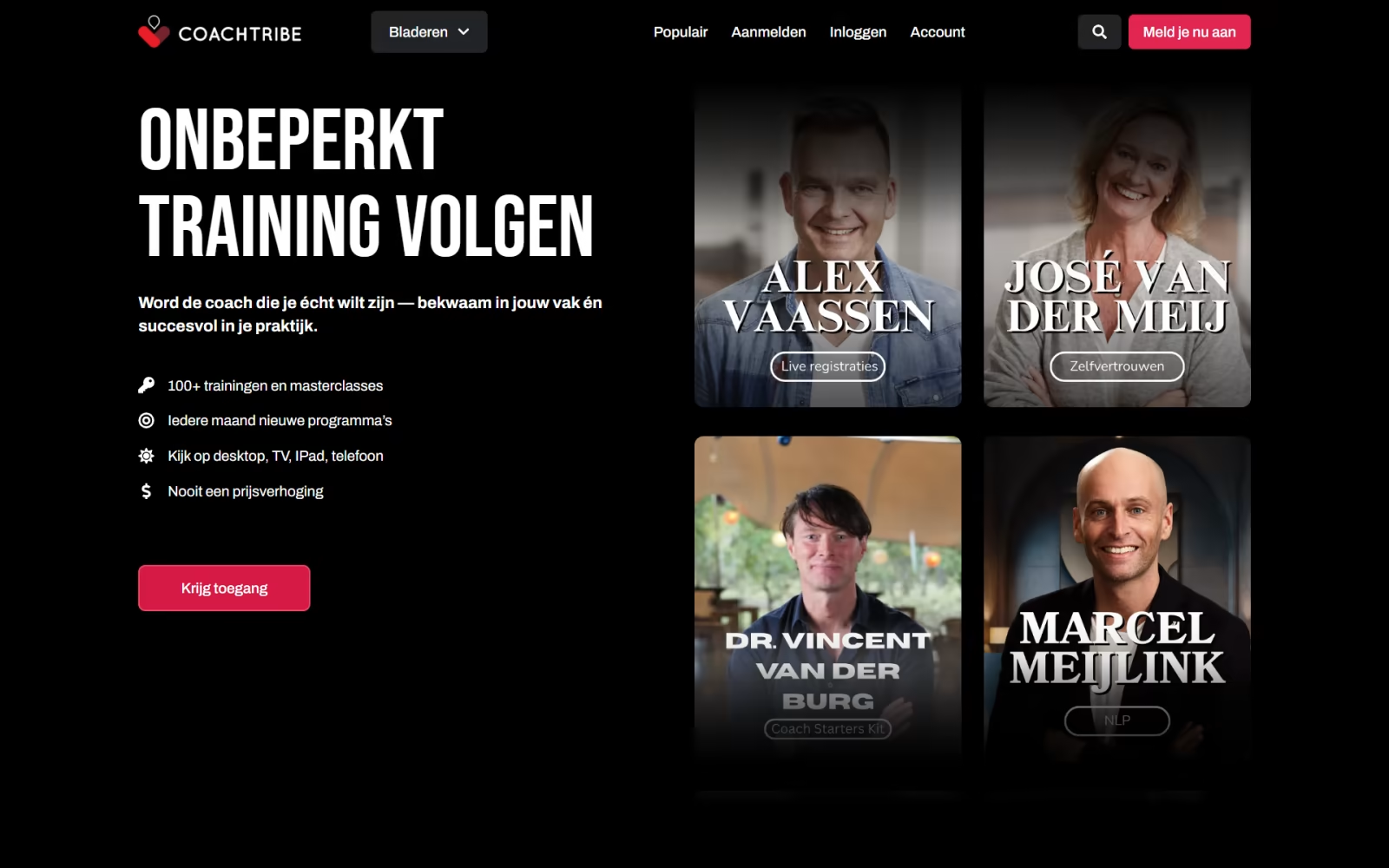
CoachTribe is a membership academy from the Dutch UNLP institute, with over 100 on-demand modules for coaches, leaders and HR teams. It combines LearnDash with subscription tiers, a…
SuperCar Haulers is a membership platform for car hauler drivers. Phase 1 gives drivers a free account, a dashboard, a library of video lessons on Tutor LMS, an…
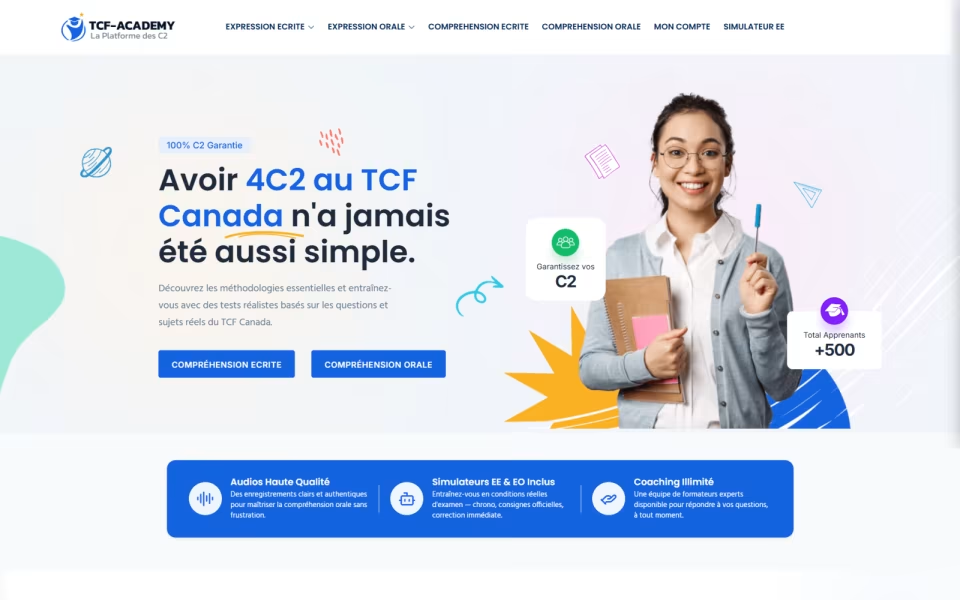
TCF Academy prepares candidates for the TCF Canada French exam. Custom WordPress simulators reproduce exam conditions with timers, AI-assisted scoring gives instant feedback, weekly reports shape each study…
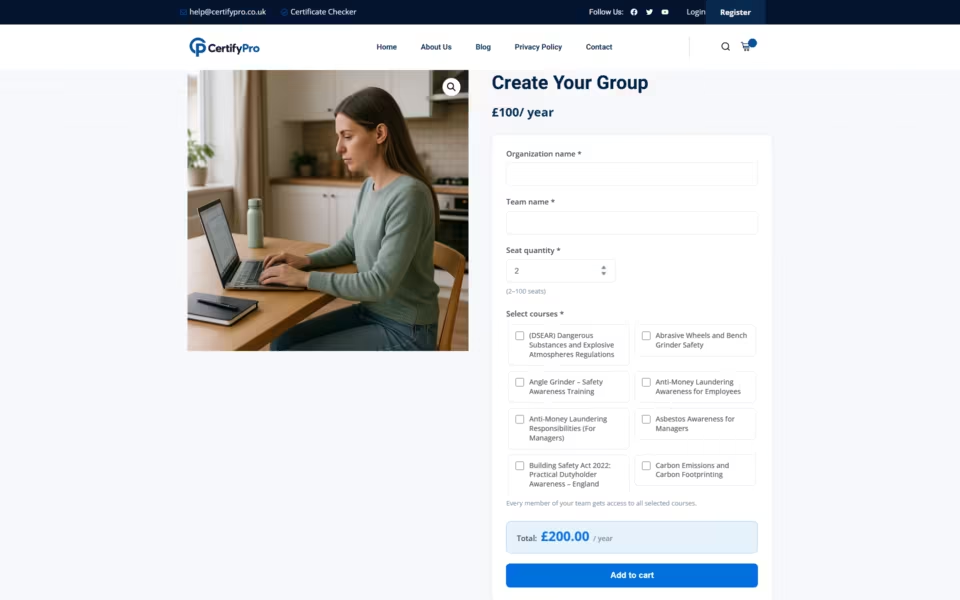
CertifyPro sells workplace training to UK teams, and its group add-on asked buyers for a quantity on every course. A custom product type replaces that with one seat…
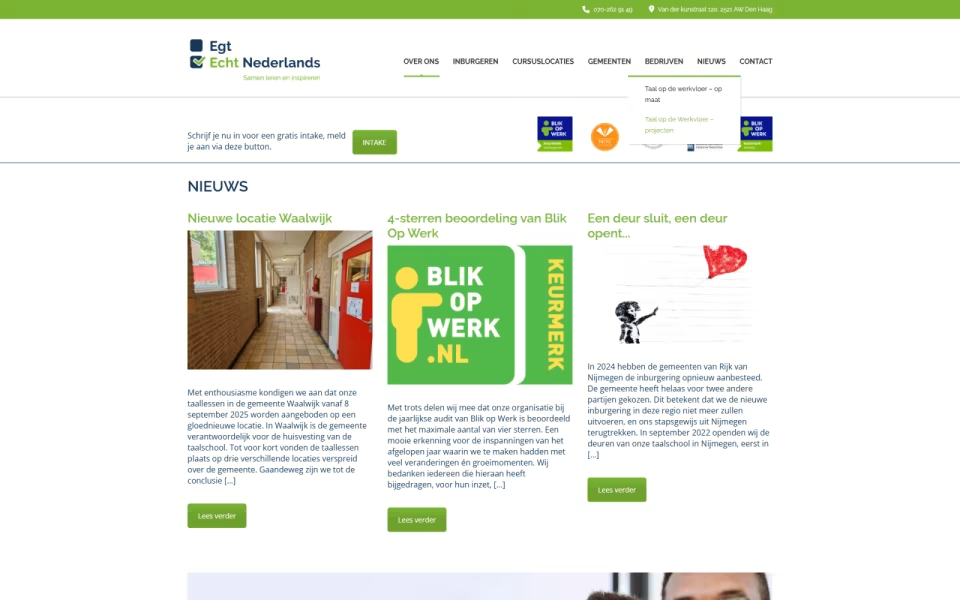
Echt Nederlands teaches Dutch online at several levels. Built on MasterStudy LMS, the site organises lessons, quizzes and progress tracking by level, with custom course layouts and dashboards…
Unlimited SkiesTech wanted its book read online like a textbook platform, with no download link. A custom reader plugin adds search, bookmarks, highlights and notes, and opens the…
A fixed price for the whole move. You cancel Kajabi only after the new site has run with real students.
30 minutes on Google Meet. You show me the Kajabi account and tell me what must not break.
Counts of products, lessons, videos, students and subscriptions, a written scope and a fixed quote.
Half up front. Courses, videos, students and checkout are rebuilt on a copy and checked with test accounts.
A short, announced window: domain pointed, redirects on, students invited, payments tested end to end.
Counts compared again, the second half due on sign-off, and only then do you cancel the Kajabi plan.
Fixed quotes after the call and the inventory. Half up front, half on sign-off.
Your main site already runs WordPress; the courses and students come out of Kajabi into it.
Design, LMS, checkout, students and email in one scope.
Updates, backups and fixes in the months after the move.
No. Their access is granted on the new site from your Kajabi export, product by product. The only thing they do is set a new password once, because Kajabi does not export passwords.
They need a plan before the switch. Card details stay with the payment provider, so subscriptions cannot simply be copied. The usual route is a short, planned window: subscribers get a link to restart on the new site, and each Kajabi subscription is cancelled once its member has moved. I check your payment setup before quoting, so nobody pays twice or loses access.
Yes. Nothing changes on Kajabi until the switch. The new site is built and checked on staging first, and you cancel the Kajabi plan only after it has run with real students.
Often, but not always. In November 2026 Kajabi's plans start at $143 a month billed annually, with email and hosting included. On WordPress you pay for hosting, an LMS licence and an email tool, plus the move itself. The Journal article on Kajabi vs WordPress works through the numbers.
Yes, if the domain is registered in your name. It is pointed at the new host on switch day, and old Kajabi paths get 301 redirects, so links in old emails and search results still land on the right page.
It depends on how you sell. Individual course sales and simplicity point to Tutor LMS; company seats, groups and reports point to LearnDash. The WordPress LMS Development page compares them, and we settle it on the call.
A team login on your Kajabi account, so I can read the products and run the exports, and access to the new host. Kajabi lets you add teammates without changing your plan.
Book a 30-minute call, or send the brief first. Either way you get a written scope and a fixed price.
Word for word from public client reviews. Every quote links to the profile where you can check it.
Shakib successfully delivered a complex multilingual learning platform for Kasa Foundation using WordPress and LearnDash. He was responsive throughout the project, carefully addressed the issues identified during our detailed QA process, and provided clear documentation and recorded walkthroughs to support our team after handover.
He did a fantastic job implementing LearnDash into our WordPress website and was incredibly professional, responsive, and accommodating throughout the project. He was patient with our changing needs, flexible as the project evolved, and consistently went above and beyond to help us achieve our goals.
Shakib is always responsive, professional, and extremely knowledgeable. This is the 2nd time I have hired him and won’t be the last. Highly recommend.
Book directly into my calendar, or send the brief and I reply within one business day, GMT+6.
Mon · 11:00-14:00, 15:00-19:00, 22:00-24:00; Tue-Thu · 10:00-14:00, 15:00-19:00, 22:00-24:00; Fri · 15:00-19:00, 22:00-24:00; Sat-Sun · 10:00-14:00, 15:00-19:00, 22:00-24:00 Dhaka time
30-minute calls on Google Meet · at least 3 h notice · up to 30 days ahead.
Send the brief: what you are building, what it runs on today, roughly when. I read every one myself and reply with questions or a written scope.
Thanks. I read every brief myself, and you will hear from me within one business day.
Want to skip ahead? Pick a slot above
Sent to my inbox ·