Selling courses to companies
A manager buys seats, assigns learners and needs reports. LearnDash Groups gets you close; the buying flow, seat counts and renewals are where the custom work is.
I build and extend LearnDash sites for course businesses that sell to teams as well as individuals: groups and seats, WooCommerce and subscriptions, staged access and sequential lessons, certificates, live cohorts and the custom add-ons that make it fit. 17 documented LearnDash builds, six of them below. 1,000+ projects for 600+ clients across 40+ countries, since 2019.
LearnDash is the most capable WordPress LMS, and the easiest one to misconfigure. The work is in making it match how you sell and teach.
A manager buys seats, assigns learners and needs reports. LearnDash Groups gets you close; the buying flow, seat counts and renewals are where the custom work is.
WooCommerce orders that do not enrol, course pages that crawl, a LearnDash or add-on update that broke the layout. Nearly always fixable without rebuilding.
Live batches with seat limits, attendance and recordings, timed exams with audio, continuing-education certificates. The batches and exams were built as small plugins beside LearnDash; the certificates are LearnDash itself, set up to gate them behind a pass mark.
Every item has shipped on a live LearnDash site. Each tile links to the case study.
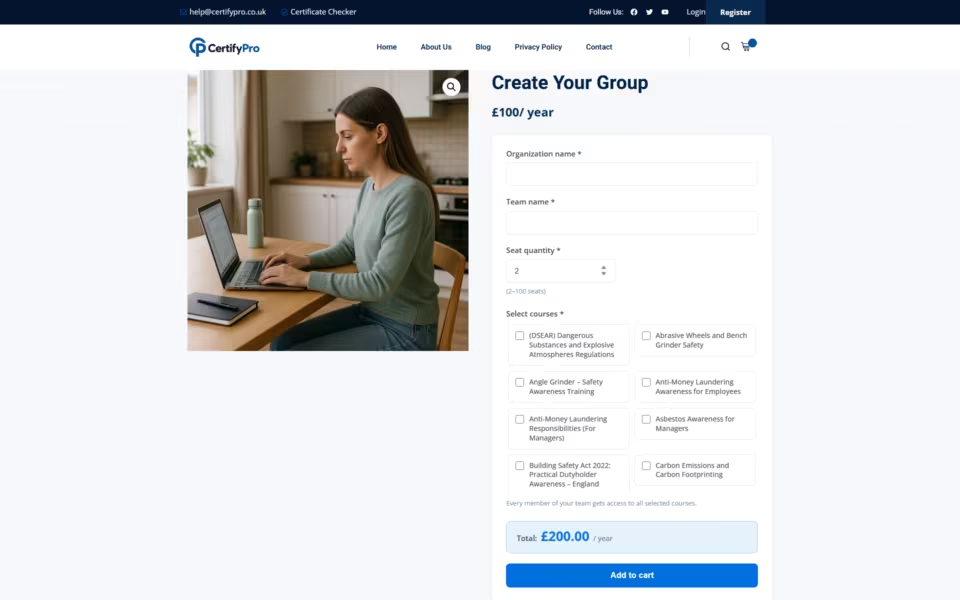
One seat count per order, three ways to buy, buyers who become group leaders, and yearly team licences that keep seats in step.
Subscription tiers over a library of modules, a trial price, local payment methods and a course grid that feels like a streaming app.
Staged access, seat limits, attendance, Zoom links and recordings, run by staff from their own dashboard instead of wp-admin.
Accredited courses sold to individuals and offered as a white-label option to companies, with managers tracking their teams.
Quizzes gated behind passing scores, continuing-education credits and certificates issued automatically.
Exam simulations with timers and audio sections, prep tracks by goal, and results kept in each member's dashboard.
Read case study Interactive Test Preparation & Language Certification Platform
LearnDash is a core plus an ecosystem. Picking the right pieces, and knowing when a small custom plugin beats a fourth add-on, is most of the job.
Team purchases, group leaders and reports. The base for any site that sells to companies, schools or care providers.
Course sales, bundles, trials and recurring access, with the payment gateways your market expects.
MemberPress or similar when access depends on a membership level rather than a single purchase.
Scheduled live sessions, attendance and recordings attached to the course.
When the add-on almost does it. Seat logic, staff dashboards, exam simulators and partner commissions have all been small plugins beside LearnDash.
Each one links to a case study: what was in the way, what I built, and what changed.
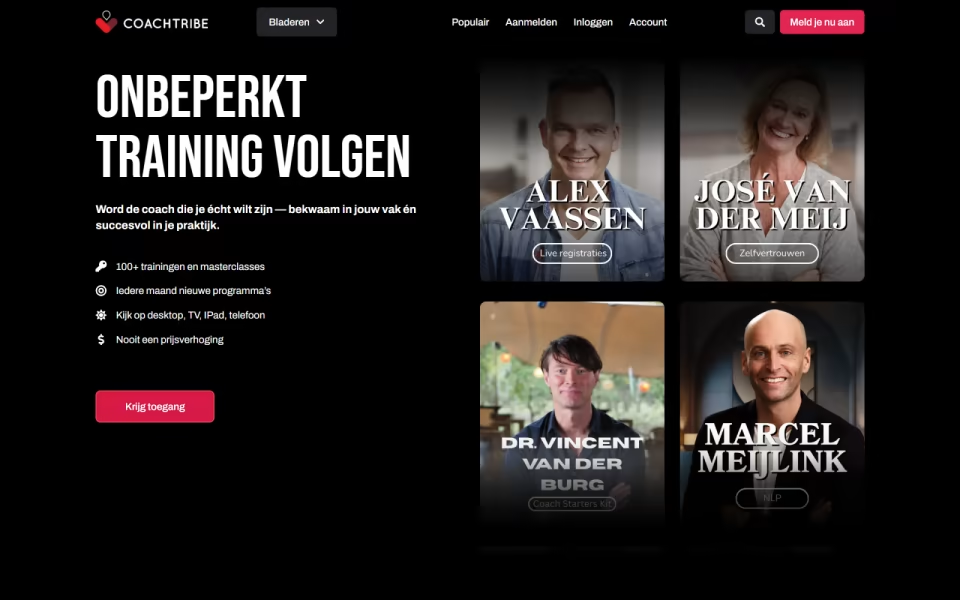
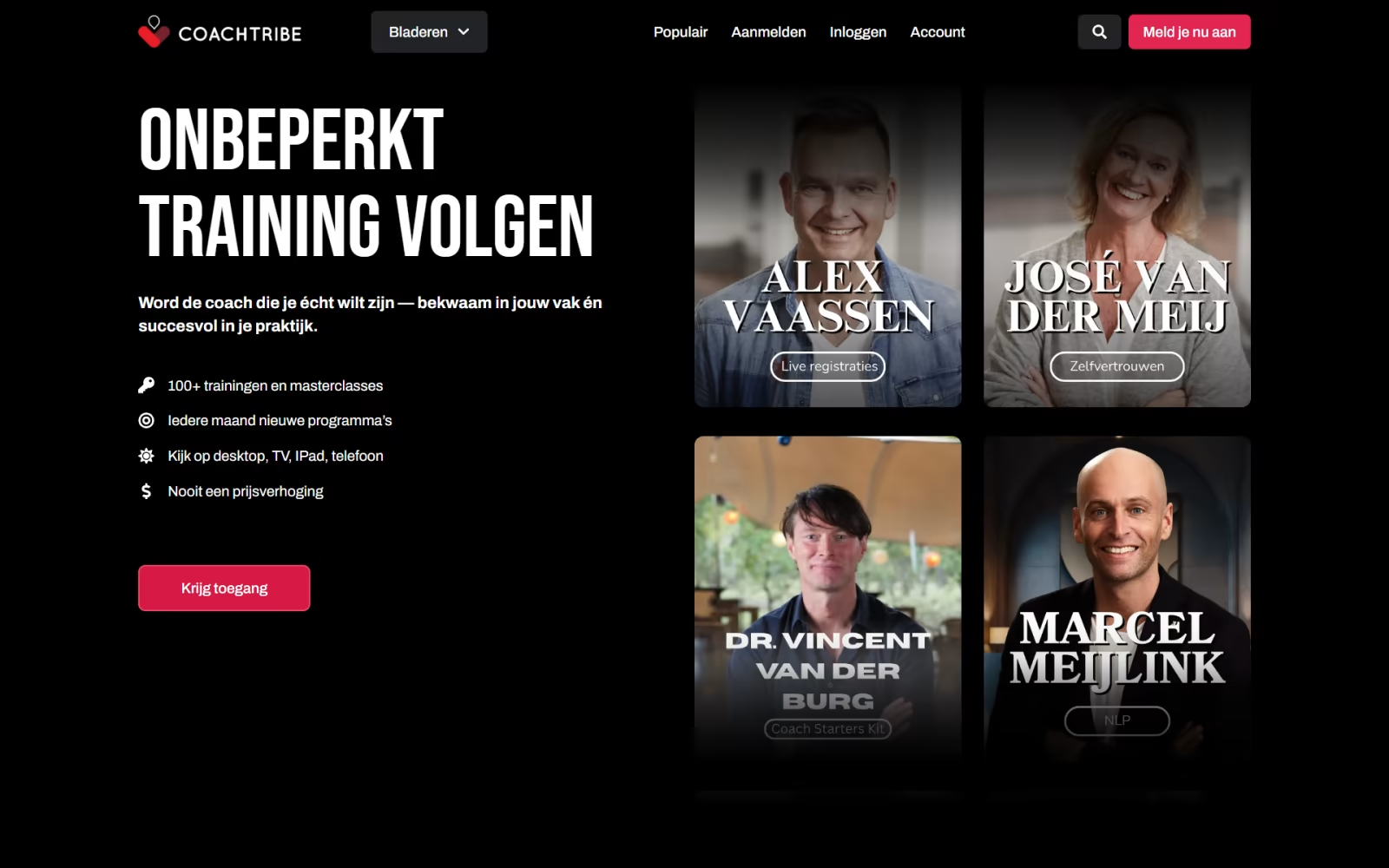
CoachTribe is a membership academy from the Dutch UNLP institute, with over 100 on-demand modules for coaches, leaders and HR teams. It combines LearnDash with subscription tiers, a…
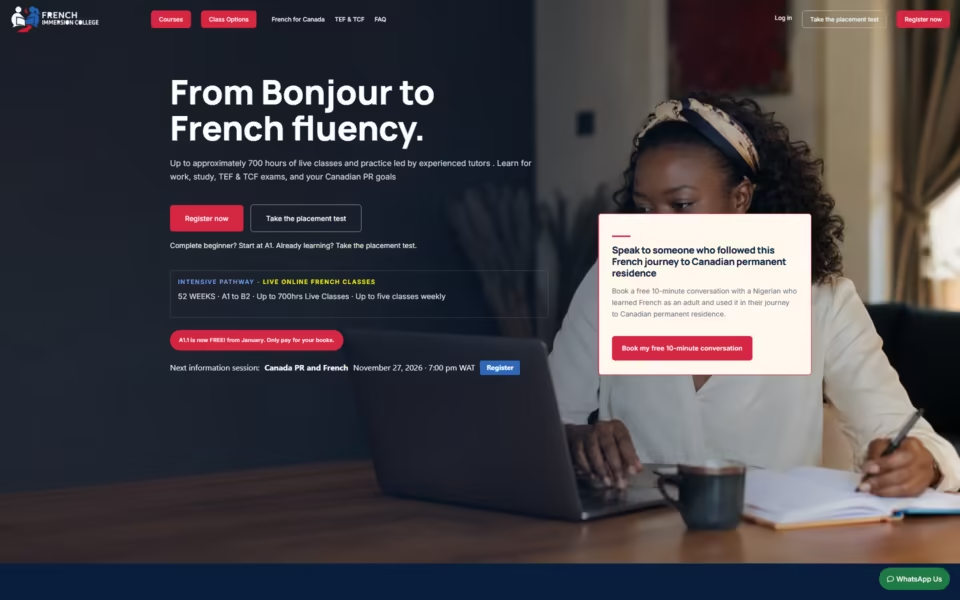
French Immersion College sells French from A1 to B2 in live class batches. A custom LearnDash plugin handles staged access, seat limits, attendance, recordings, staff dashboards, partner commissions…
CertifyPro sells workplace training to UK teams, and its group add-on asked buyers for a quantity on every course. A custom product type replaces that with one seat…
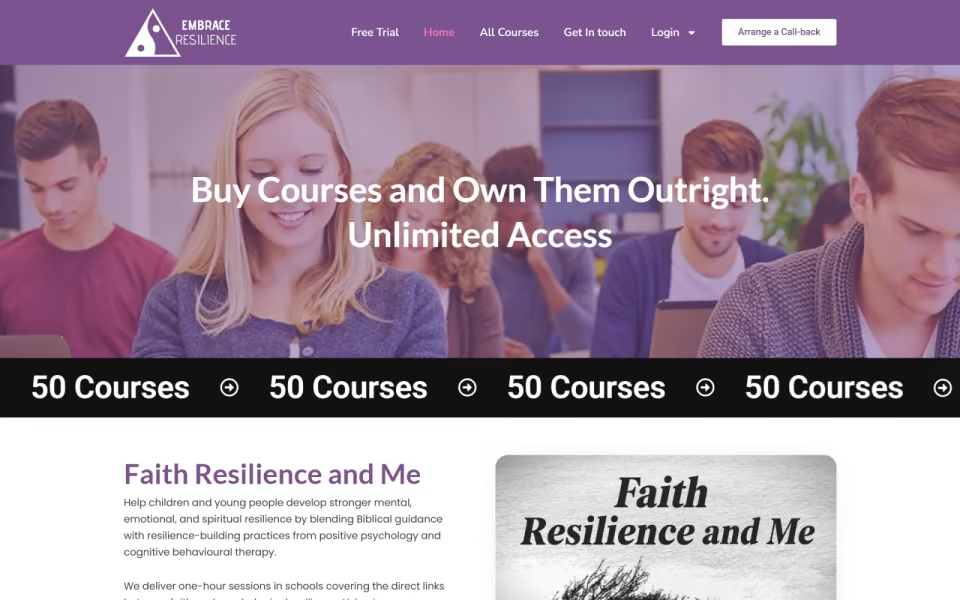
Care Training Hub, run by Embrace Enterprise, sells accredited health and social care training in the UK, including a white-label option for care businesses. Managers track staff on…
EBP Central Academy offers continuing education in evidence-based practice for therapists, nurses and clinicians. Its LMS gates quizzes behind passing scores, issues CEU certificates automatically, and keeps each…
ExamenFrançais.com helps candidates prepare for the TEF Canada and TEF IRN French exams. The site runs timed mock exams with audio listening sections, splits prep tracks by immigration…
No hourly meter running in the background. You know the price and what it covers before anything starts.
30 minutes on Google Meet. You show me the courses, how you sell them and what is not working.
A written scope and a fixed quote: which add-ons, what gets built custom, and what does not.
Half up front, then the build. You review it working before anything goes live.
Go live, test enrolment and payment from start to finish, hand over. The second half is due on launch.
Optional monthly retainer for updates, fixes and small features. Pause it any time.
Fixed quotes after the call. Half up front, half on launch. LearnDash licences are bought in your name.
Setup, course structure, checkout, certificates and reporting.
Seat logic, dashboards, exam tools, integrations.
Custom design, integrations, migration.
If you sell to teams, need groups, complex drip or many add-ons, LearnDash is the safer long-term choice. If you sell to individuals and want everything in one plugin, Tutor LMS is usually quicker to run. I have shipped both, so the recommendation comes from how you sell.
Yes. LearnDash Groups handles group leaders and reports, and I have built the buying side on top of it: one seat count per order, several purchase modes and yearly team licences that keep seats in step.
Yes. Existing sites are a regular part of my LearnDash work: Stripe webhooks that were being refused, a cached login page that gave students sign-in errors, a group add-on that did not match how the client sold, and a slow LMS theme. Small fixes start at $49.
Only if you sell more than single courses with a simple checkout: subscriptions, bundles, products, or specific payment gateways. For simple sales LearnDash's own integrations are enough.
Yes. Live batches with seat limits, Zoom links, attendance and recordings have been built as a custom plugin beside LearnDash, with staff running them from their own dashboard.
Every build starts with a number, usually 1.5 seconds to show the main content on a mid-range phone. LearnDash is rarely the bottleneck; the theme and the plugins around it are.
Dhaka, Bangladesh (GMT+6). I work with clients in 40+ countries and reply to every brief within one business day.
Book a 30-minute call, or send the brief first. Either way you get a written scope and a fixed price.
Book directly into my calendar, or send the brief and I reply within one business day, GMT+6.
Mon · 11:00–14:00, 15:00–19:00, 22:00–24:00; Tue–Thu · 10:00–14:00, 15:00–19:00, 22:00–24:00; Fri · 15:00–19:00, 22:00–24:00; Sat–Sun · 10:00–14:00, 15:00–19:00, 22:00–24:00 Dhaka time
Next open time: Tue 10 Nov, 10:00 Dhaka time
30-minute calls on Google Meet · at least 3 h notice · up to 30 days ahead.
Send the brief — what you are building, what it runs on today, roughly when. I read every one myself and reply with questions or a written scope.
Thanks — I read every brief myself, you will hear from me within one business day.
Want to skip ahead? Pick a slot above
Sent to my inbox ·